
Product tour
From a repository to living documentation
Everything Dev-Doc produces, how it is made, and how your team works with it.
How a run works
Facts are read from the code before a word is written
Each step runs in the background and reports progress live. If one fails, the project says why — in plain language — and what to do.
- 1. FetchDownload the repository, or receive your zip.
- 2. UnpackSkip binaries, build output and dependency folders.
- 3. Detect modulesApplications, libraries, services, tests — with languages and frameworks.
- 4. Read structureClasses, functions and the calls between them.
- 5. Explain codeOptional: every file, class and function in plain language.
- 6. Write docsOverview, C4 diagrams and sections — from the facts found.
- 7. GovernanceCanvases and decision-record starting points.
Overview · where?
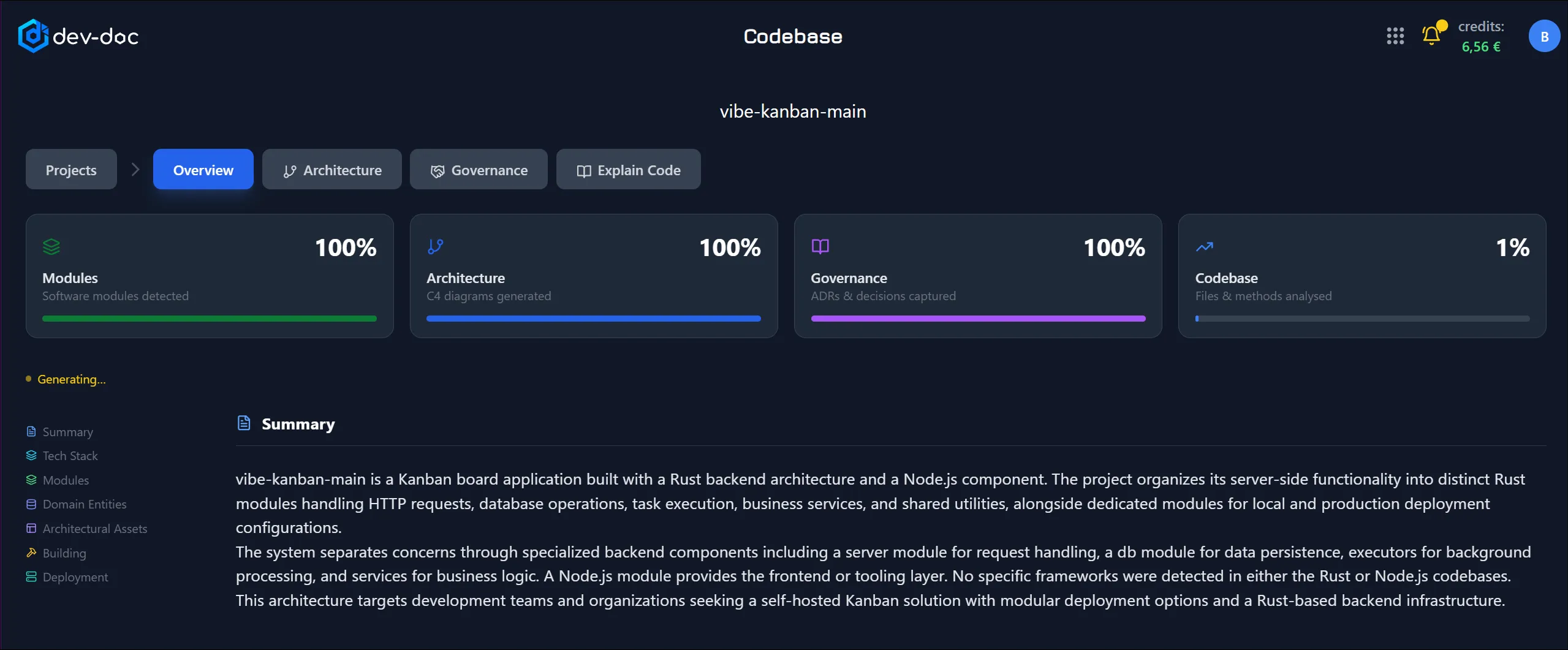
The front page of your documentation
Progress at a glance, then a set of documents — each written to answer one question a newcomer would ask.
- Summary
- What is this software, who is it for and what does it do?
- Architecture
- How is it put together, and why that way?
- Modules
- Which parts does it consist of — path, type, frameworks, entry points?
- API Surface
- Which endpoints or entry points does it offer? (Hidden when there are none.)
- Tech Stack
- Languages, frameworks and dependencies, from the project’s own files.
Long documents fold into sections with a contents pane, depth control, filterable tables and “copy all as Markdown”.
Architecture · what?
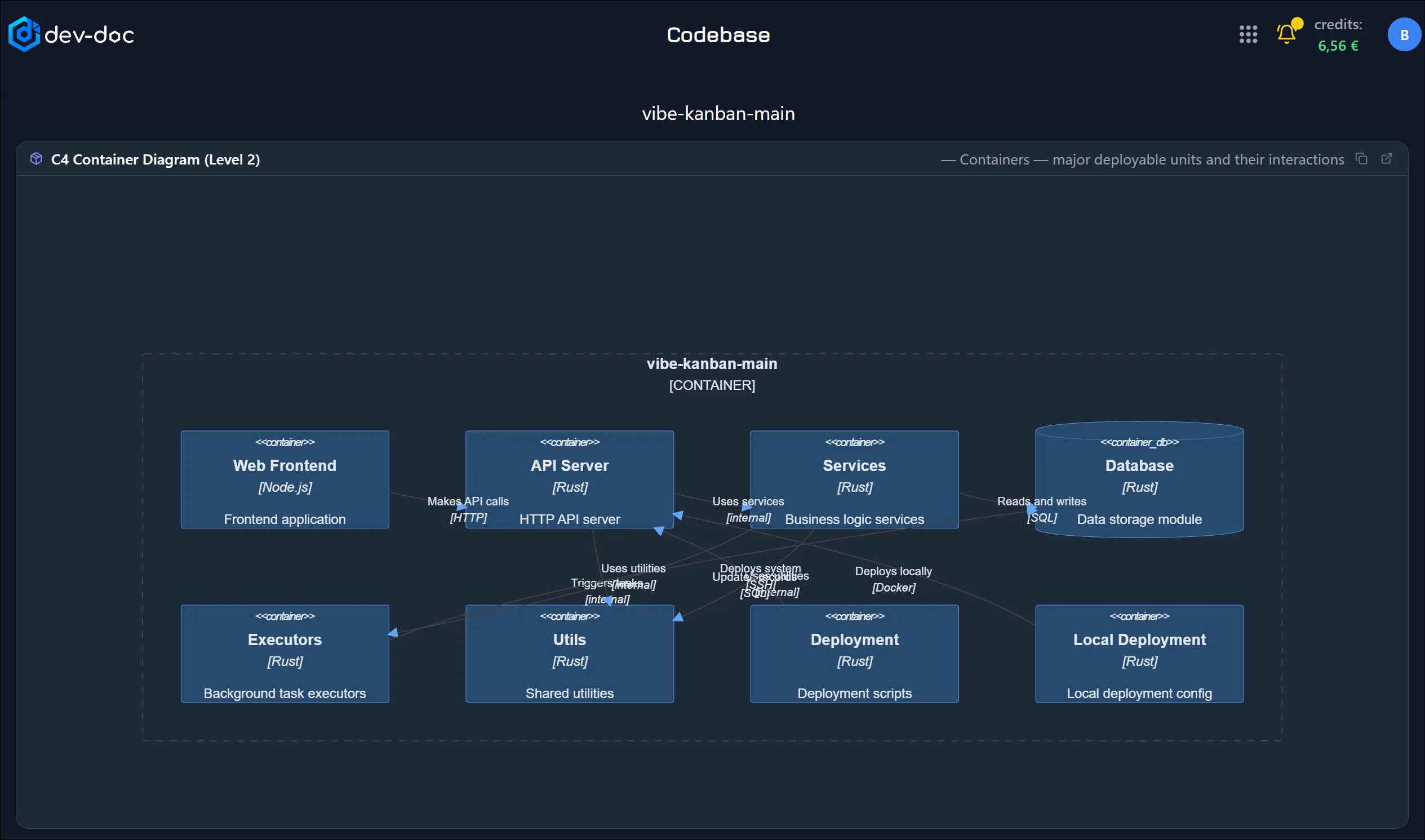
A full C4 model, levels 1 to 4
| L1 | System context Your system as one box, the people who use it and the outside systems it talks to. |
| L2 | Containers The applications, services and data stores it consists of. Tests, examples and benchmarks sit in a separate “not deployed” group. |
| L3 | Components The components inside the main module and how they depend on each other. |
| L4 | Code The classes and interfaces behind the components, with interfaces marked «interface». Click a class to open its file. |
Pan, zoom and expand any diagram full screen. Very large diagrams open as a grouped overview you can drill into. Edit the diagram source and approve it — approved diagrams are kept on a complete re-run.
Governance · why?
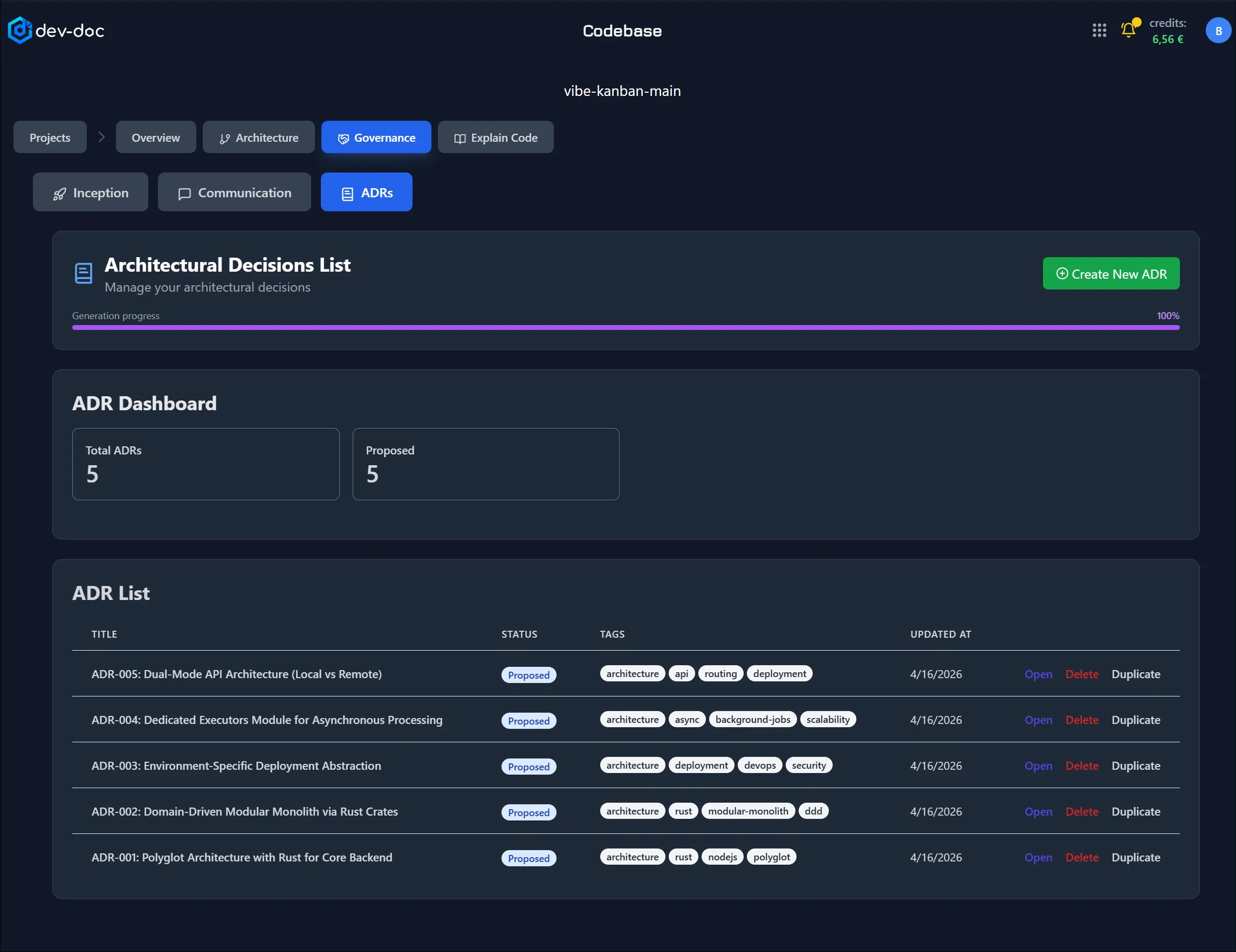
The why behind the software
Dev-Doc prepares first drafts from your code; your team completes them.
- Inception canvas — business case, functional overview, quality goals, stakeholders, constraints and risks on one page.
- Communication canvas — the architecture “pitch”: requirements, solution building blocks, interfaces, problems and risks.
- Architecture decision records — context, options, decision and consequences, with status, tags and a review state.
- Configuration records — how the software is versioned and released, built from the repository history.
Codebase · how?
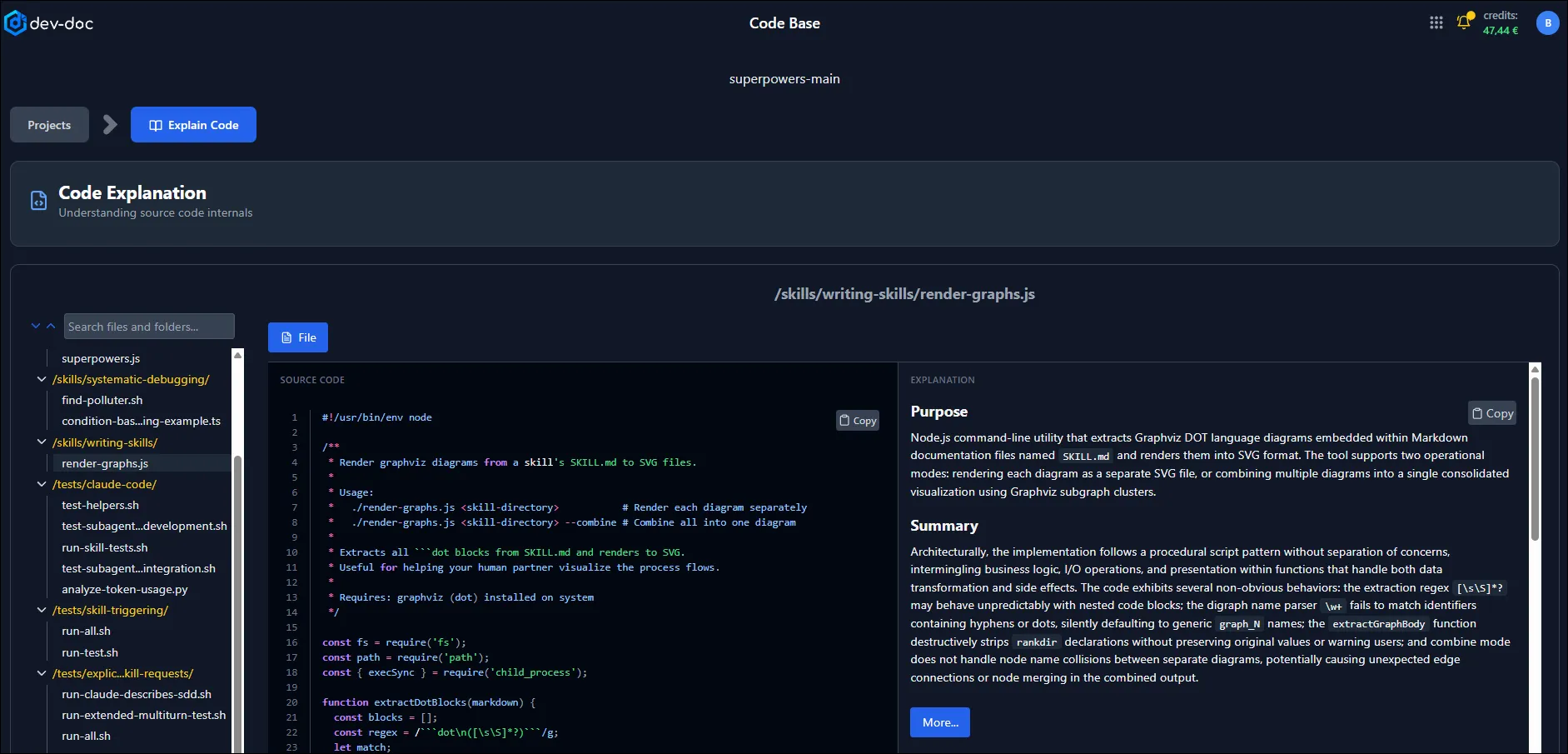
Understand a file without reading every line
Every analysed source file in a searchable tree. Select one to read the code side by side with a plain-language explanation, or switch to Methods to see each function explained — purpose, execution flow, key considerations and possible risks.
Codebase analysis is optional and off by default: without it you still get Overview, Architecture and Governance. Add it later with an incremental re-analysis.
Quality
Traceability and verification evidence
Some facts cannot be read from source code — your requirements, test results, or contract details such as part numbers and criticality. Dev-Doc never guesses them: until you supply them they are reported asmissing. Upload requirements (for example a ReqIF export from DOORS), analysis findings from SonarQube, Semgrep or MISRA tooling, test coverage or version history, and the Quality tab shows which requirements are referenced where in the code, which are verified, and how complete the evidence is. Export it as Markdown or Word. More on compliance →
Working with the result
Your documentation, under your control
Review, edit & approve
Edit any section in Markdown or any diagram as source, then approve it. Approved work is protected: before a complete re-run, Dev-Doc asks which edited or approved sections to keep.
Keep it up to date
Track the repository and Refresh documentation against the latest commit. Incremental runs keep existing results and only bill the missing work; no new commits, no cost.
Share a link
Create a public, read-only link with an optional expiry, or post to LinkedIn, X, WhatsApp, Reddit, Facebook or email. Recipients never see source code. Revoke at any time.
Download everything
One free ZIP: Markdown per tab, an arc42 document (Markdown and AsciiDoc for docToolchain) and a CRA / NIS2 pack with SBOMs and a supplier fact sheet.
Private repositories
GitHub, GitLab and Bitbucket with a read-only access token or app password. Dev-Doc checks the token immediately and never writes to your repository.
Demo projects
Real, fully analysed projects published read-only. Explore exactly what Dev-Doc produces — no import, no credits, no account.
Workgroups
Work on the same projects together
Create a workgroup, invite people by e-mail and decide what each member may do. Rights apply to every project in the workgroup, and buttons a member has no right for are simply not shown. Runs are always billed to the project owner.
| Right | Allows |
|---|---|
| View projects | Open the projects and follow their progress live. |
| Import repositories | Import a new project straight into the workgroup. |
| Run & stop analyses | Re-analyse, stop, regenerate and refresh tracked repositories — billed to the project owner. |
| Edit documentation | Edit and approve sections, canvases and decision records; upload evidence. |
| Download documentation | Download the documentation ZIP. Source code is never included. |
| Share | Add a project to another workgroup and copy its public, read-only link. |
See it on a real project
Browse the demo gallery, or import your own repository with 40 free credits.