
Documentation for software architects — created with AI: dev-doc v3.0
Dev-Doc reads a repository — modern or decades old — and produces the overview, the architecture, the module map and the interactive C4 diagrams your organisation was supposed to have, derived from the code rather than from memory.
40 free credits on sign-up · no credit card · sign in with GitHub, Google or email
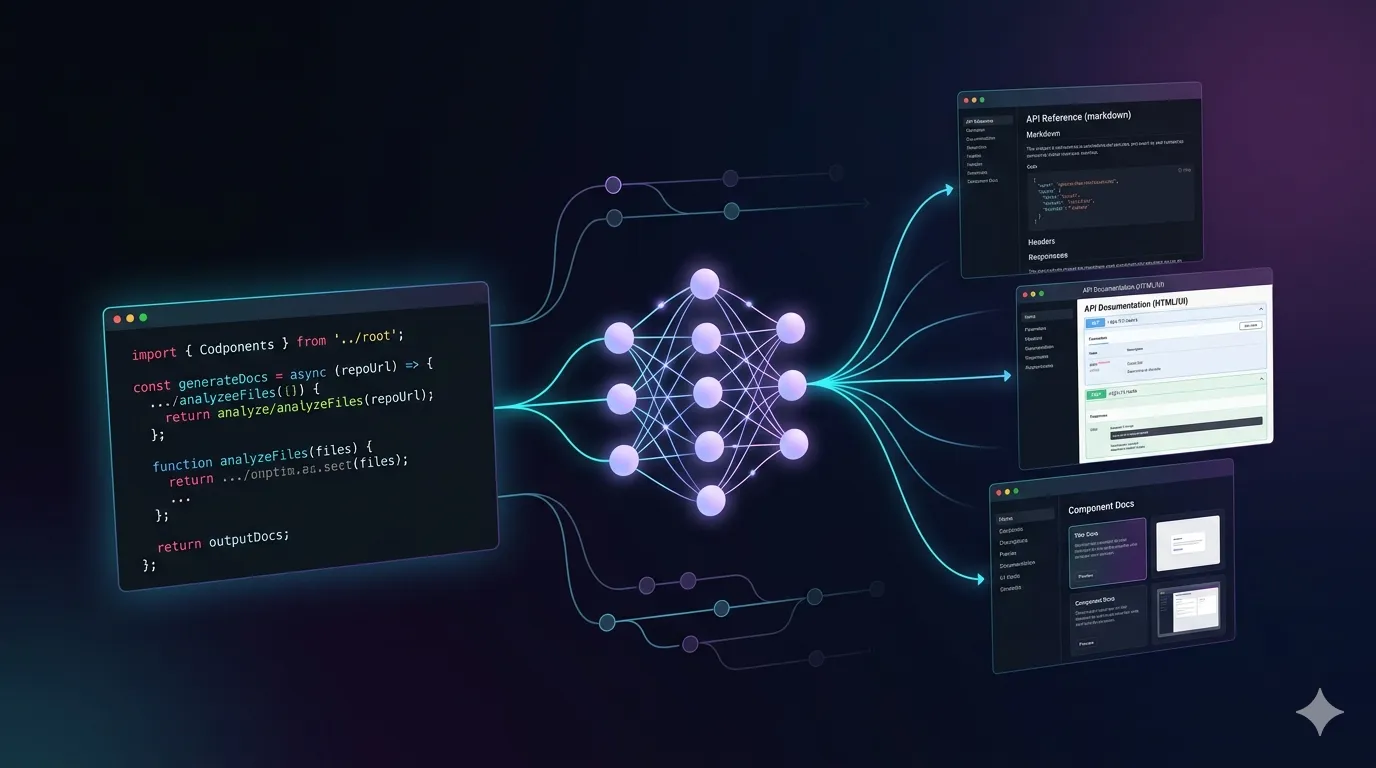
Dev-Doc is a comprehensive solution that covers all the documentation components of a software project. Built on the latest technologies, it meets the needs of developers and stakeholders alike, and provides a standardised approach for medium and large software projects.
Because the documentation is generated by AI from your source code, it is produced fully automatically. Your senior developers are spared the tedious work of writing it, and new team members save a lot of time learning the system architecture.
Core features
One solution for all documentation
One place for all documentation
Ready to go in 5 minutes
Fully automated code docs with AI
Auto-updates on each release
Fully auto-generated visual software architecture
How it works
Three steps from a repository to living documentation
- 1
Import your project
Paste a GitHub, GitLab or Bitbucket link — private repositories with a read-only token — or upload a zip file. The analysis runs in the background.
- 2
Dev-Doc explores it
Modules, languages, frameworks, classes and call relationships are read from the code first; then the documentation is written from those facts.
- 3
Read, review, share
Open Overview, Architecture, Governance and Codebase. Edit and approve sections, share a read-only link, or download Markdown and arc42.
Inside an analysed project
Four views answer four questions
Every project opens with the same tabs. Codebase is optional — you decide at import whether to include it.
Overview
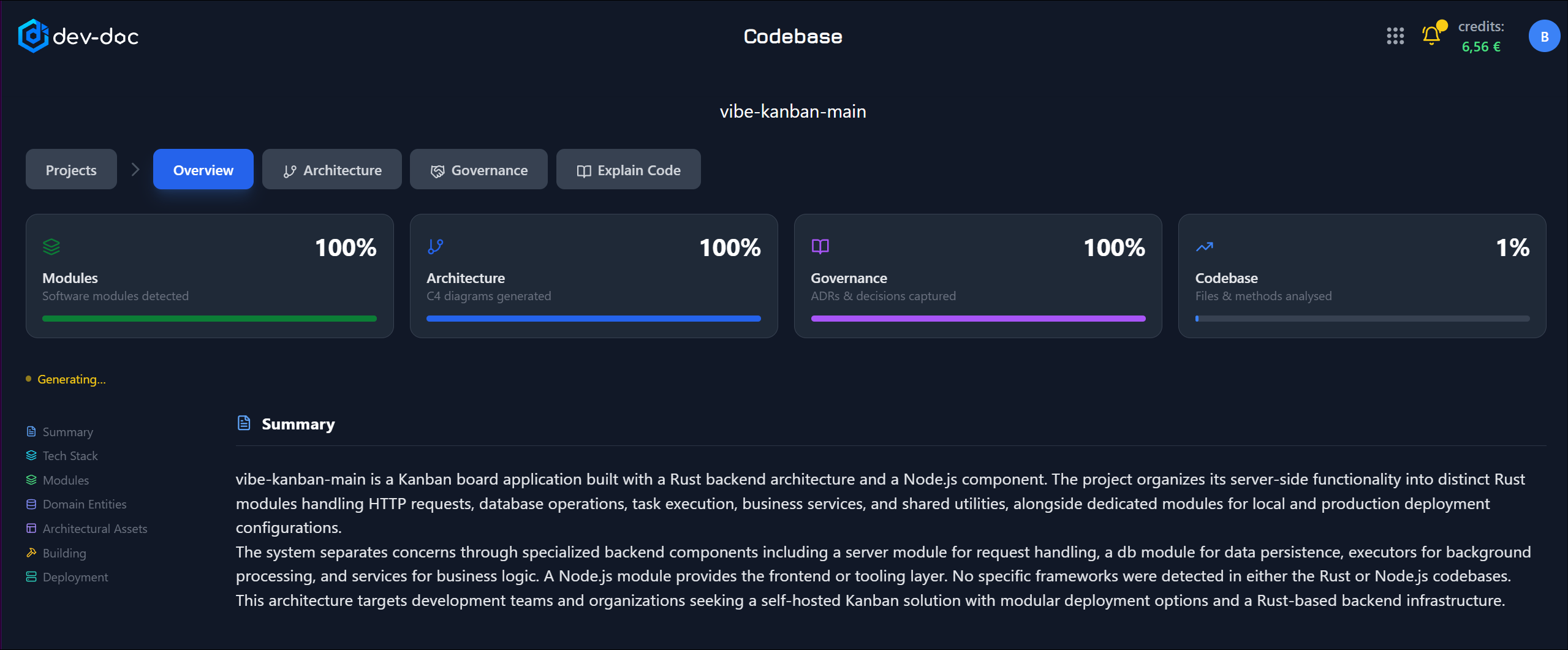
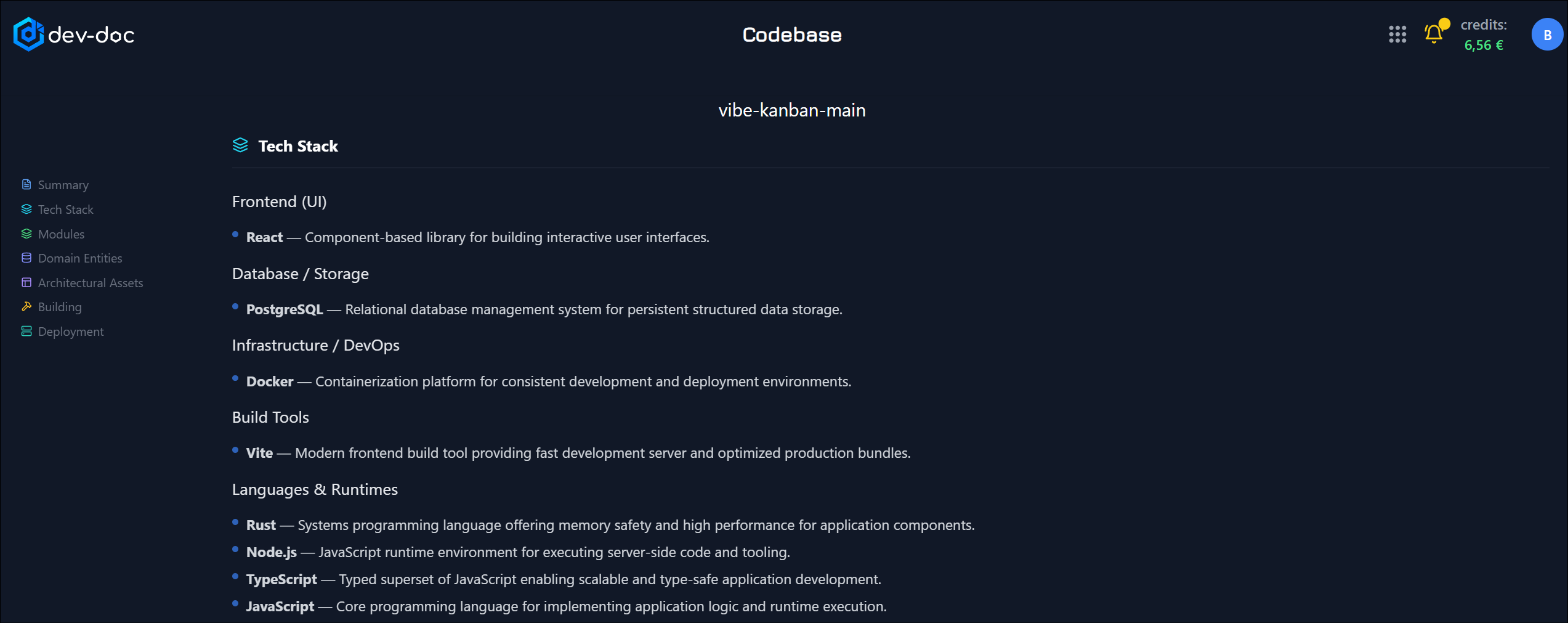
The big picture first — what the project does, the modules it is built from, its API surface, the tech stack behind it, and how far the documentation has progressed.
Architecture
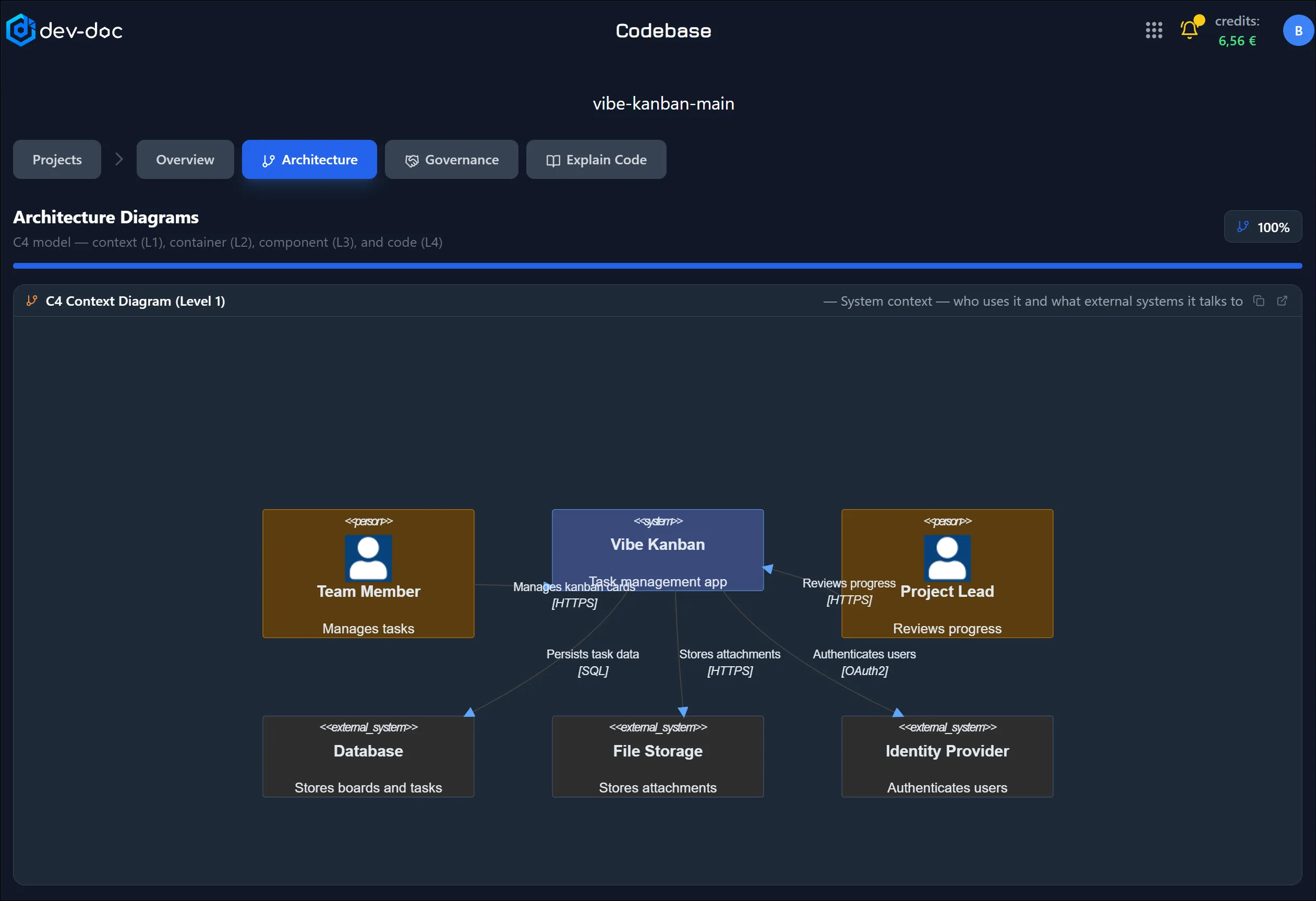
A full C4 model in four levels — context, containers, components and code — grounded in the real call graph, plus a written architecture description.
Governance
Inception and communication canvases, architecture decision records and configuration records: vision, key decisions, risks, alternatives and consequences.
Codebase
Optional semantic analysis: every file, class and function explained in plain language — execution flow, key considerations and possible risk points.
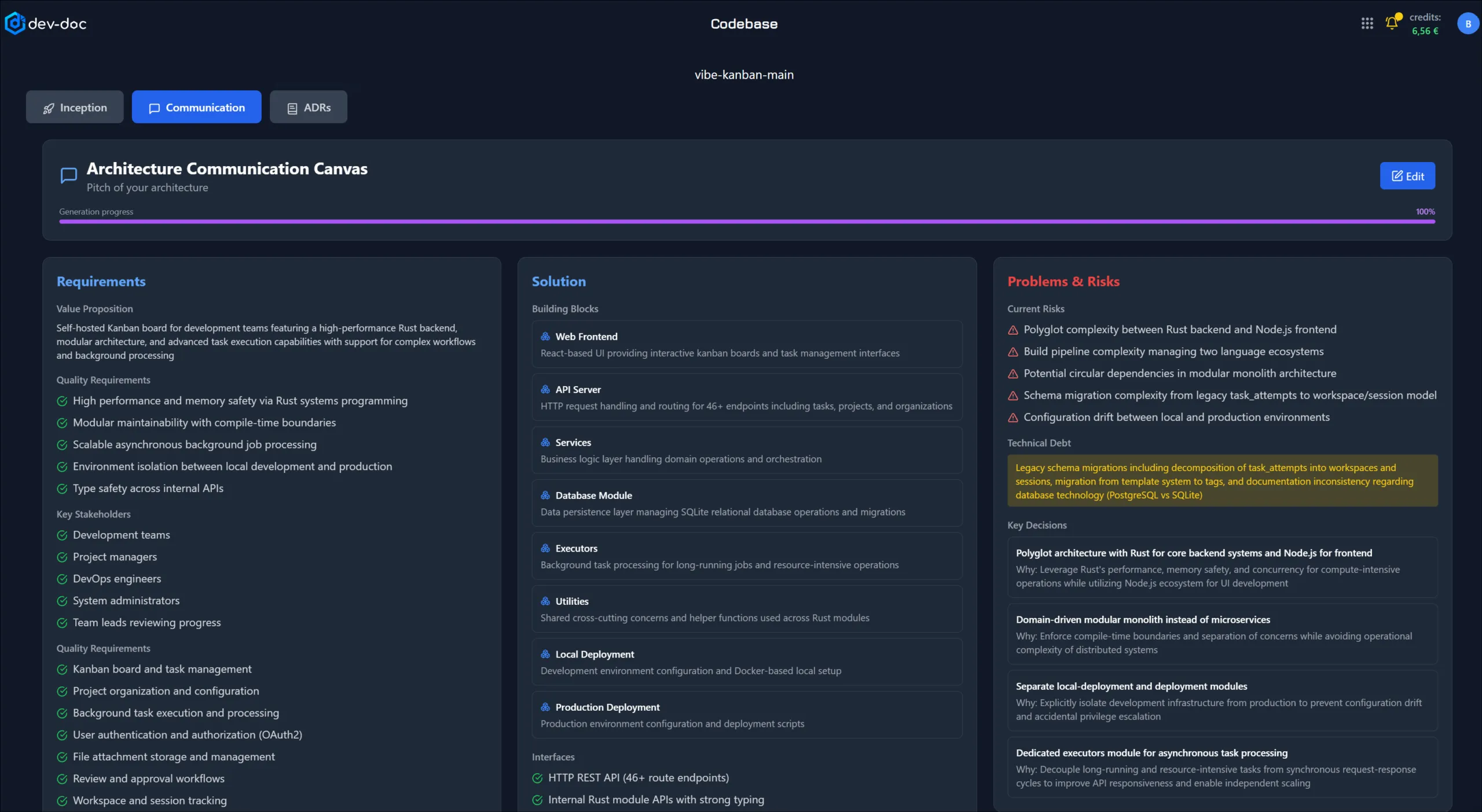
Stakeholder summary in a canvas
The canvas holds the essential information about the software project and is an important source of information for stakeholders, presented in a particularly clear way.
It deliberately leaves out deep technical detail and focuses on the basics and background. The Inception Canvas and the Communication Canvas follow the arc42 approach — and both can be edited and approved by your team.
Visual architecture
Visual architecture documentation is the centrepiece of Dev-Doc. By analysing every method, we draw your software as it really works — C4 context, container, component and code diagrams, with relationships grounded in the actual call graph and interfaces marked as contracts.
No more hand-made slide decks or extra code to produce diagrams. Oversized diagrams open as a navigable, grouped map instead of an unreadable wall.
Modules & deployment
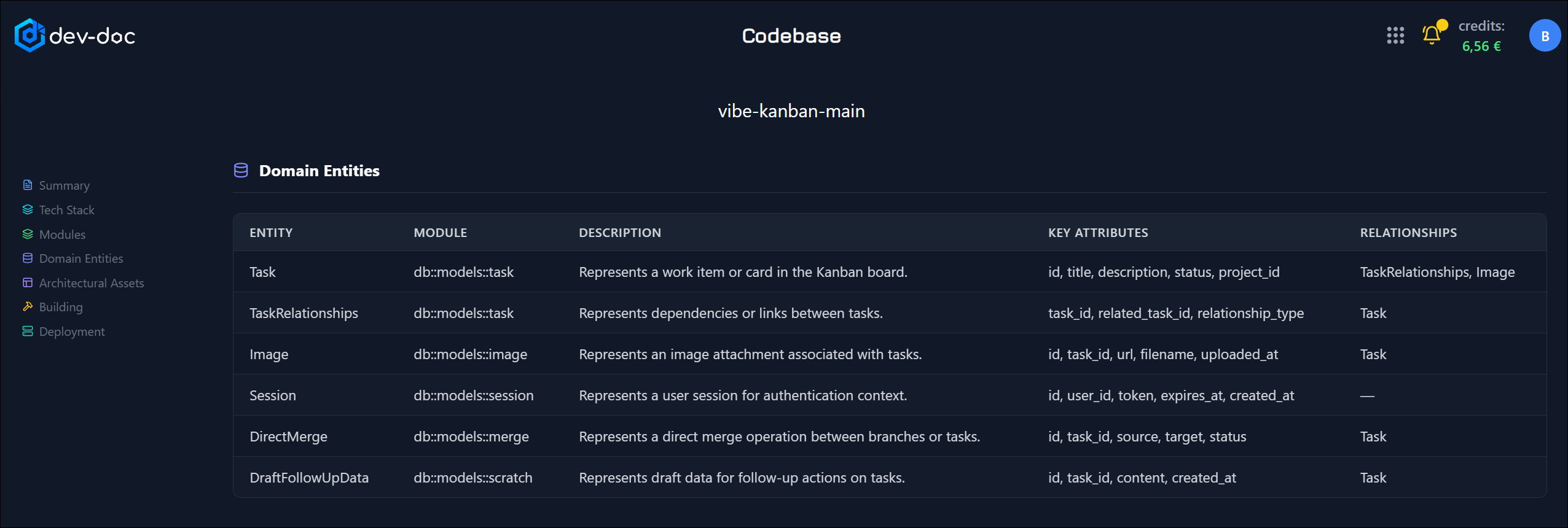
The deep technical details of the project in one place, so the documentation becomes a useful resource for the development team: modules with their paths, types, frameworks and entry points, the API surface, the data model, deployment services and the tech stack read from the project’s own files.
Source code explanation
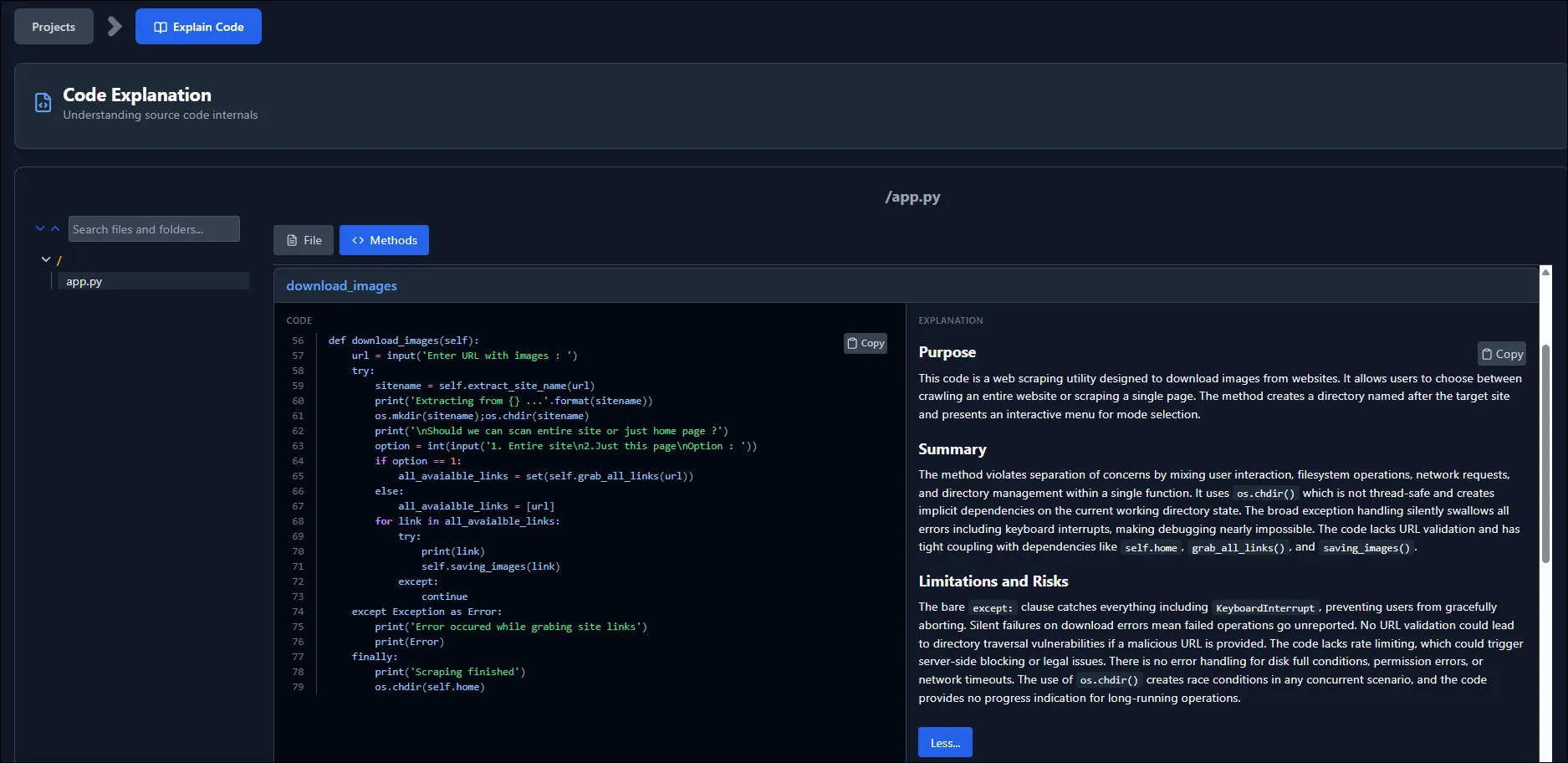
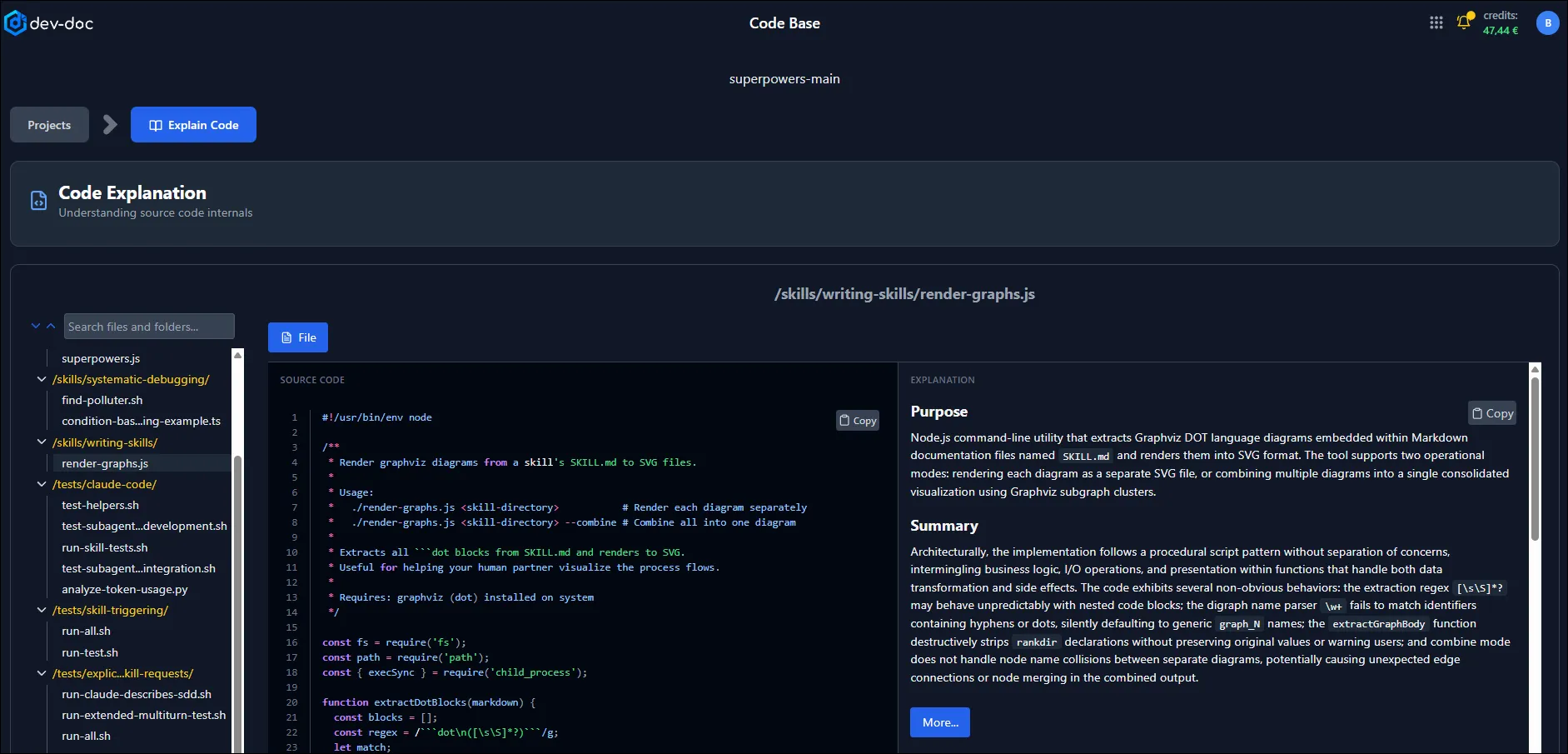
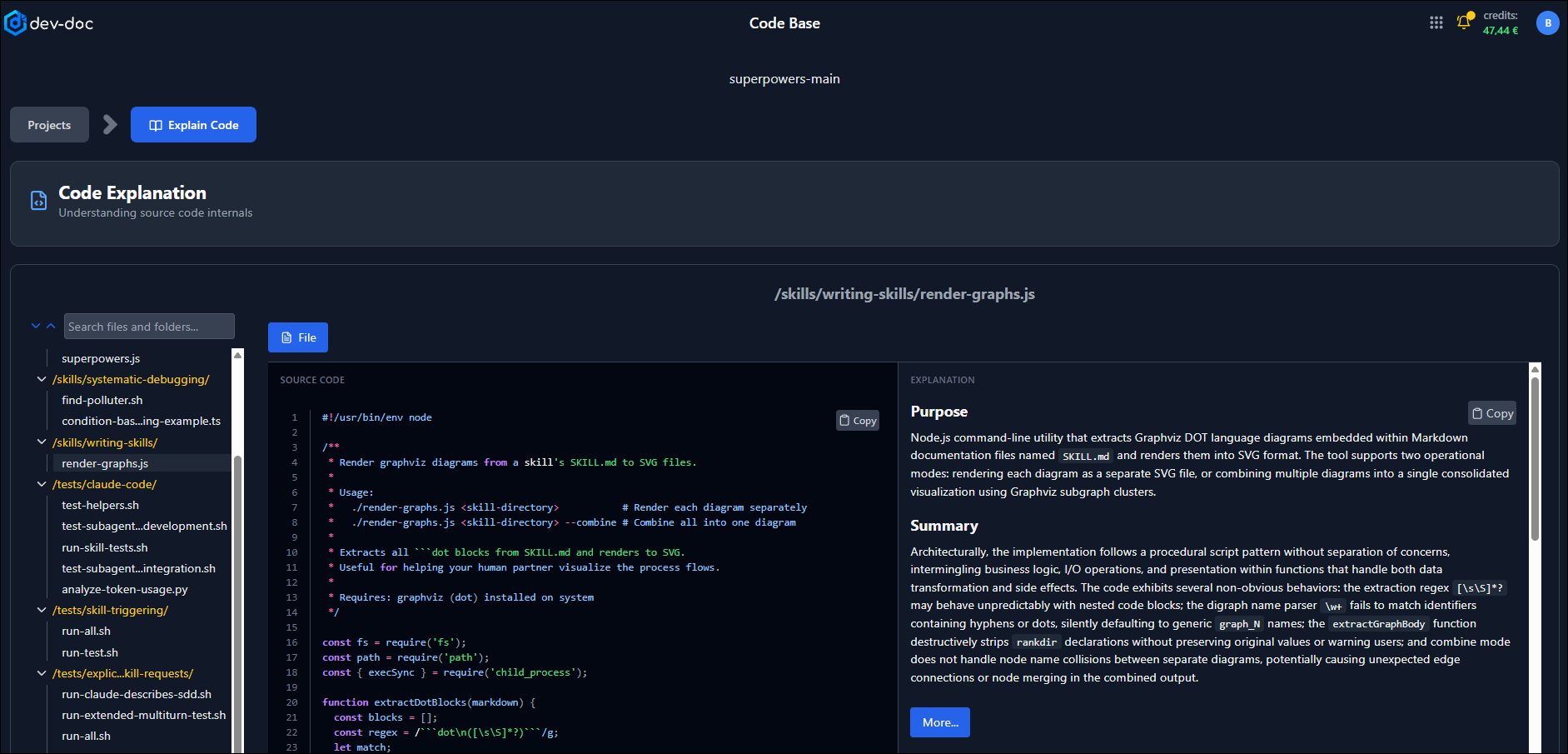
Dev-Doc explains your source code automatically: what each file and method means and how it works, how methods communicate with each other, and a short summary of each file as a whole — side by side with the code.
This helps new project members find their way around faster and cuts recurring questions to senior developers.
What sets it apart
Correctness over volume of text
Most of the work goes into proving a statement before it is published.
Legacy estates are first-class
COBOL, PL/SQL, T-SQL and decades-old Java or C are documented with the same depth as a modern web stack.
Facts first, prose second
Modules, deliverables, entry points, dependencies and call relationships are read from code and build files before any text is generated.
An audit after every run
A deterministic check compares each document against the source tree — invented identifiers, missing files, wrong signatures — and records what changed.
Human approval survives
Sections a reviewer edited or approved are kept when the code changes; the rest is refreshed.
Only what actually ships
Tests, examples and benchmarks are documented as non-deployed, so the inventory describes the product you deliver.
Read-only by design
Nothing is installed alongside your code and nothing is written back to the repository. Share links never expose source code.
Working in defence or critical infrastructure?
Engineering evidence package
Software that has been shipping for years, and a customer now asking for the documentation package? From the same analysis, Dev-Doc produces a software design description, configuration-item records with change history, a requirements-to-code traceability matrix, a verification & validation summary — and an SBOM for the Cyber Resilience Act and NIS2.
Compliance & evidenceBuilt for teams
Documentation that stays current — and travels
Stays in sync
Track a repository and refresh from its latest commit in one click. Incremental runs only pay for what is missing.
Workgroups
Invite colleagues and give each member exactly the rights they need: view, run, edit, download or share.
Share a link
A public, read-only link to the documentation — no account needed, never any source code, revocable at any time.
Take it with you
One ZIP with Markdown, an arc42 document (also AsciiDoc for docToolchain) and an SBOM for CRA / NIS2 reviews.
With Dev-Doc you eliminate these common challenges:
- Reduce the effort to create documentation to 5%
- Refresh documentation on every new release
- No more loss of knowledge in your project and team
- Consistent documentation that satisfies your team and stakeholders
- Skip lengthy onboarding for new team members
- Achieve a high level of acceptance in your development team
See it in action
 Overview – summary
 Overview – tech stack
 Overview – domain entities
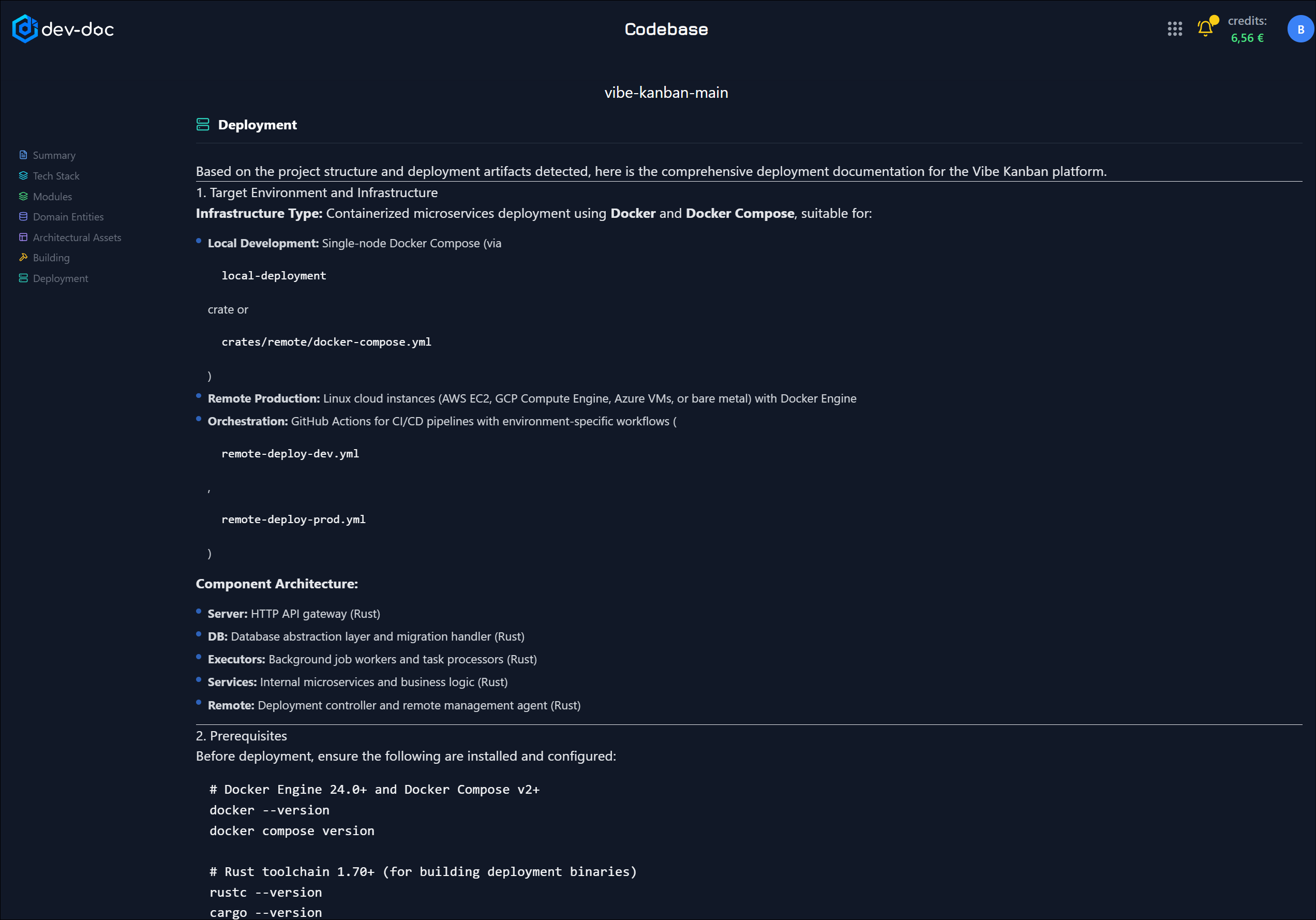 Overview – deployment
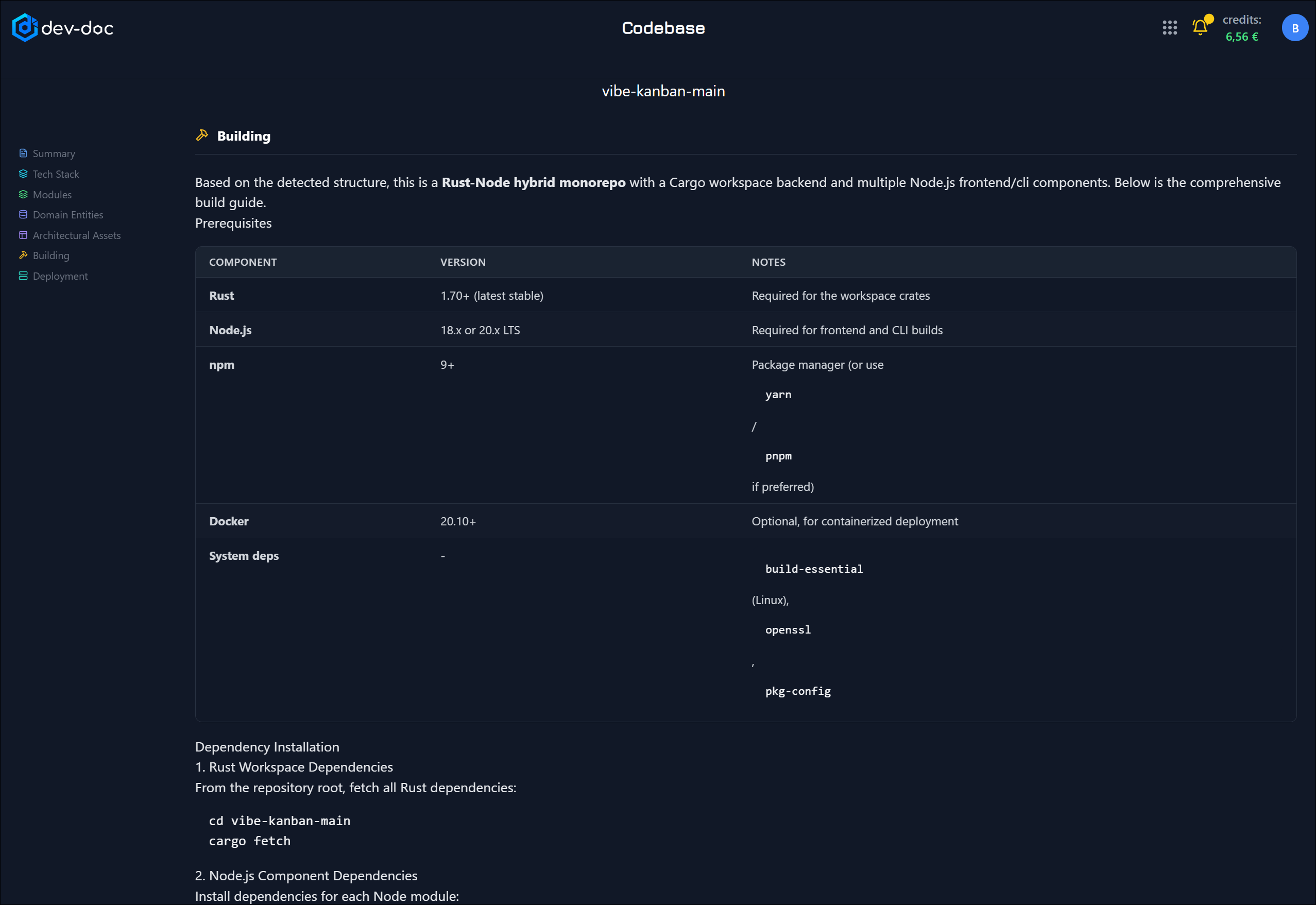 Overview – building
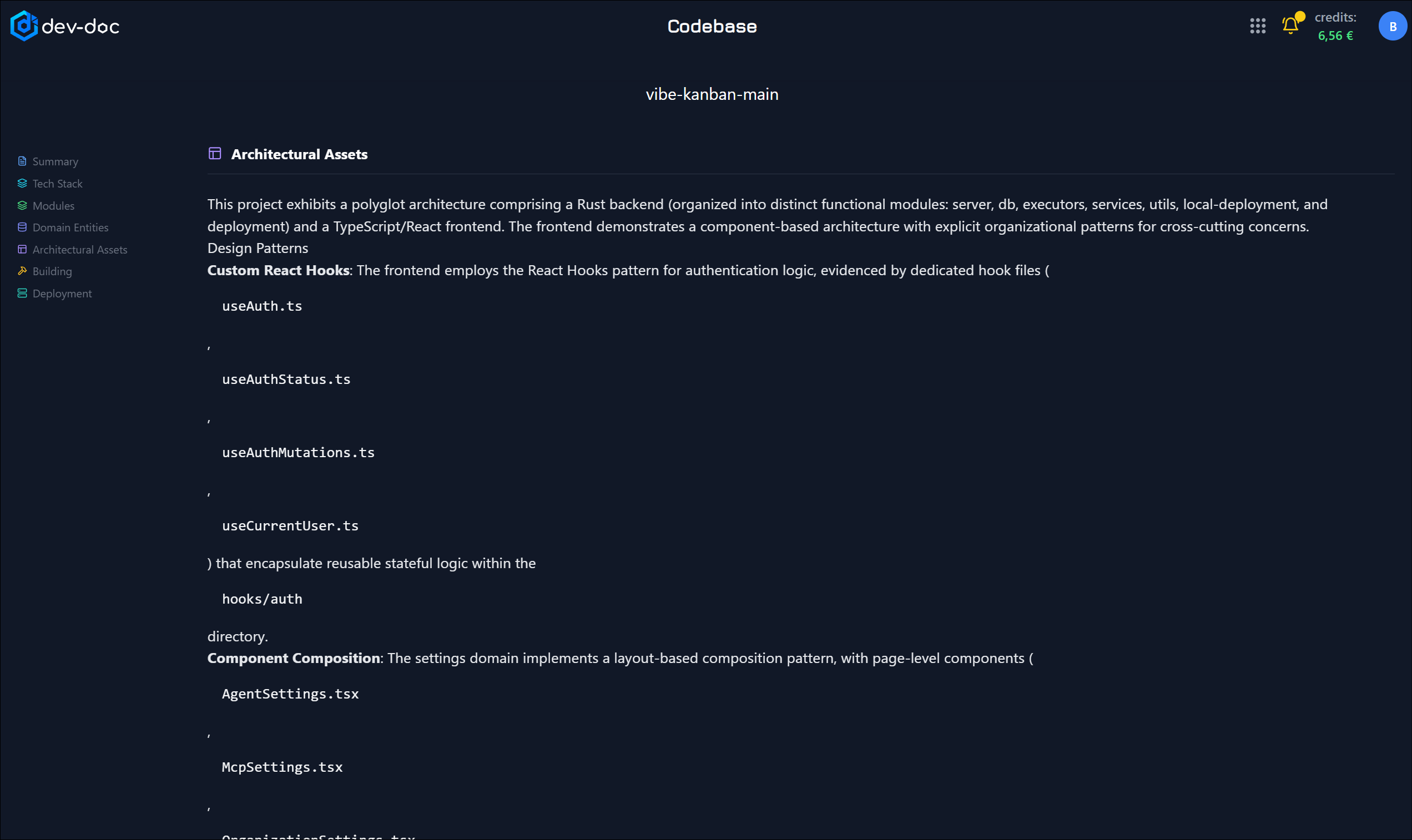 Overview – architecture assets
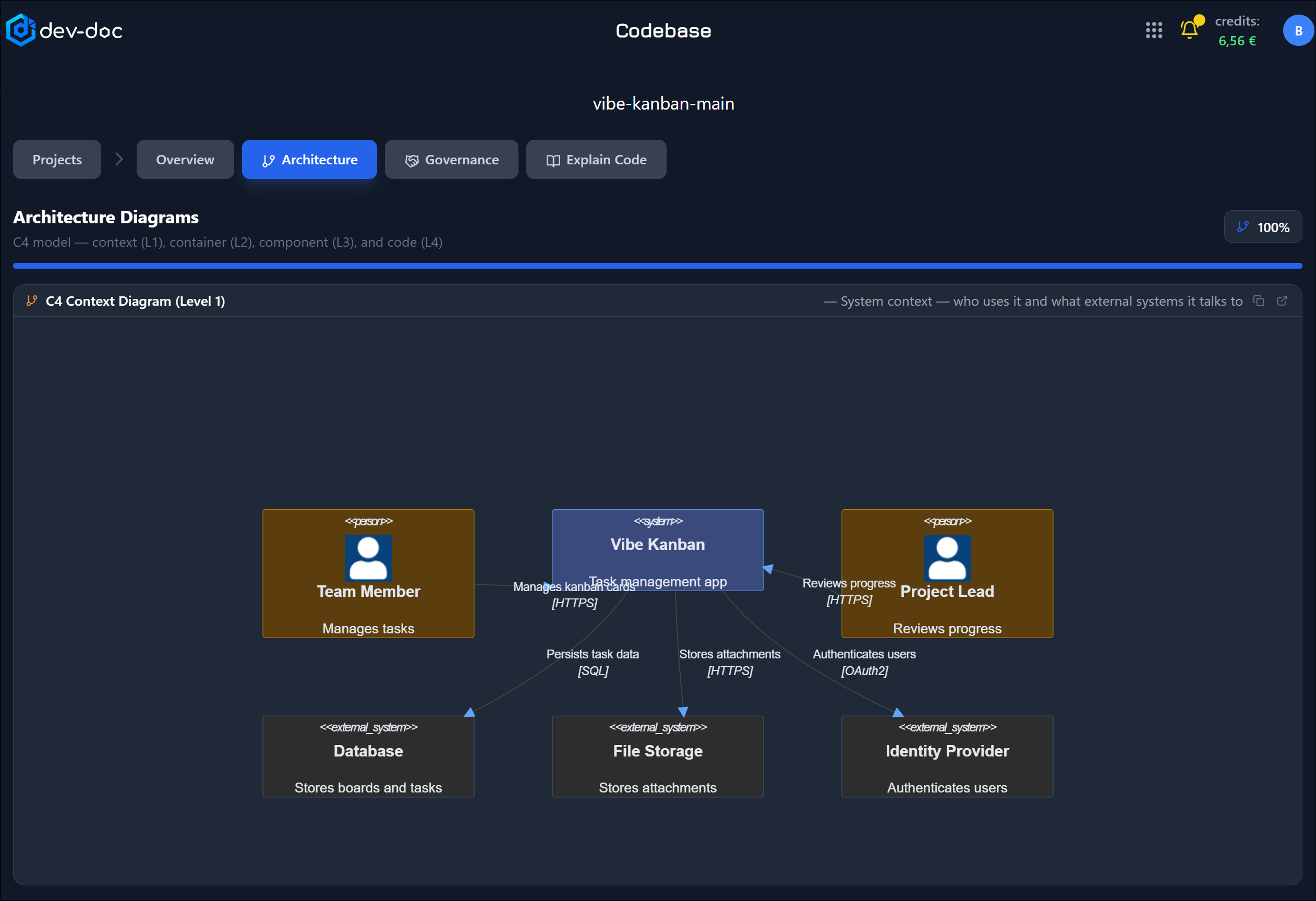 Architecture – C4 context (L1)
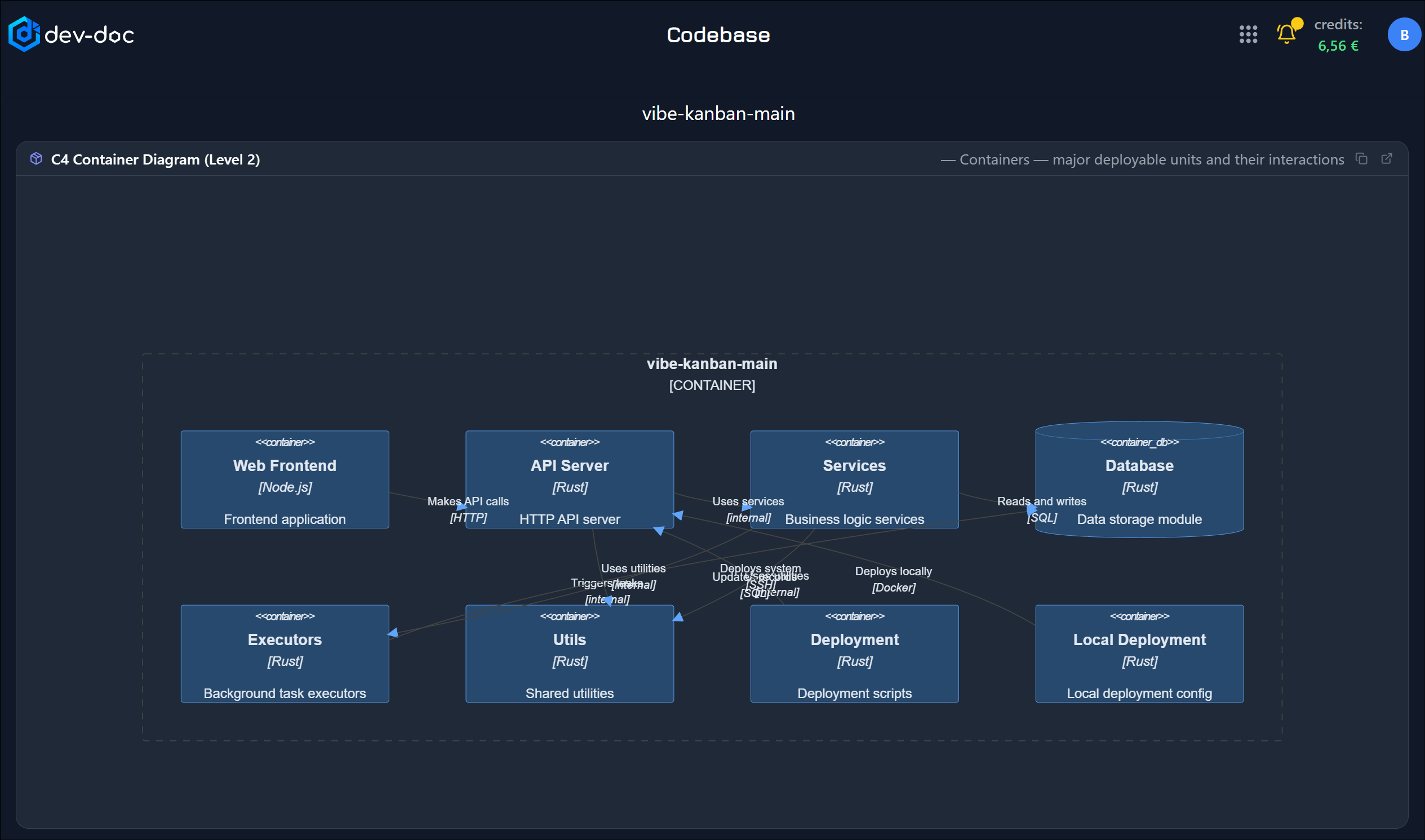 Architecture – C4 container (L2)
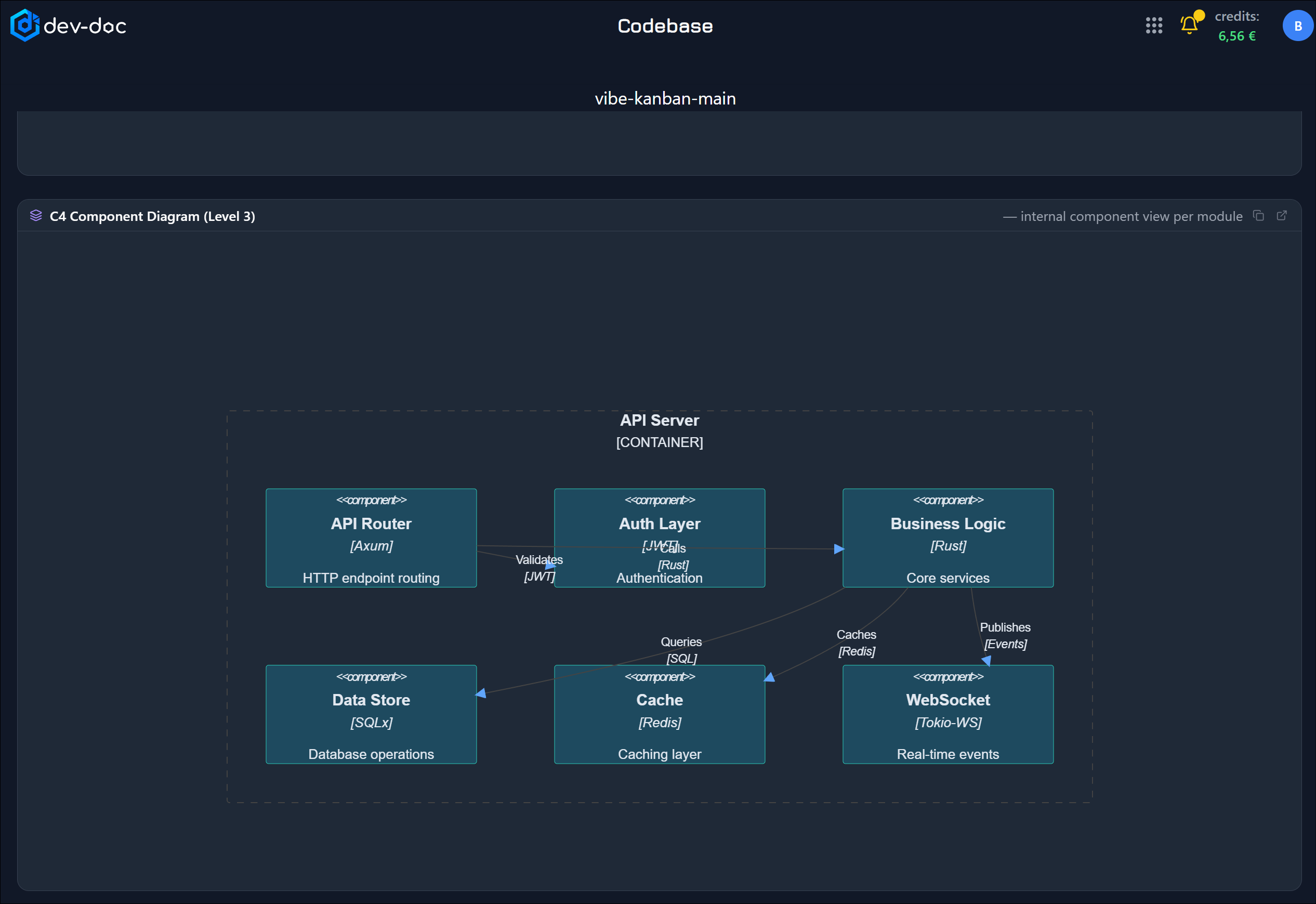 Architecture – C4 component (L3)
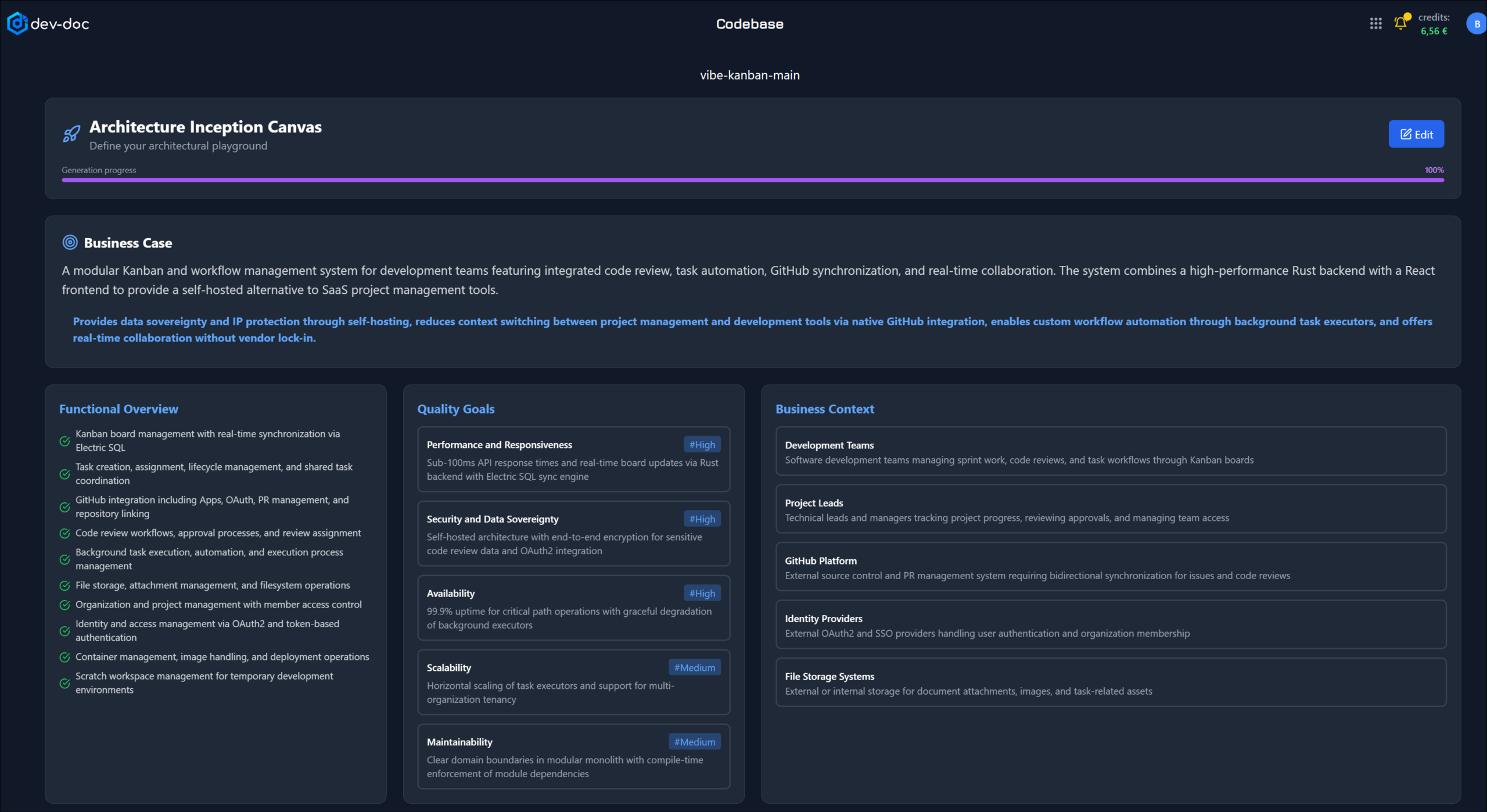 Governance – inception canvas
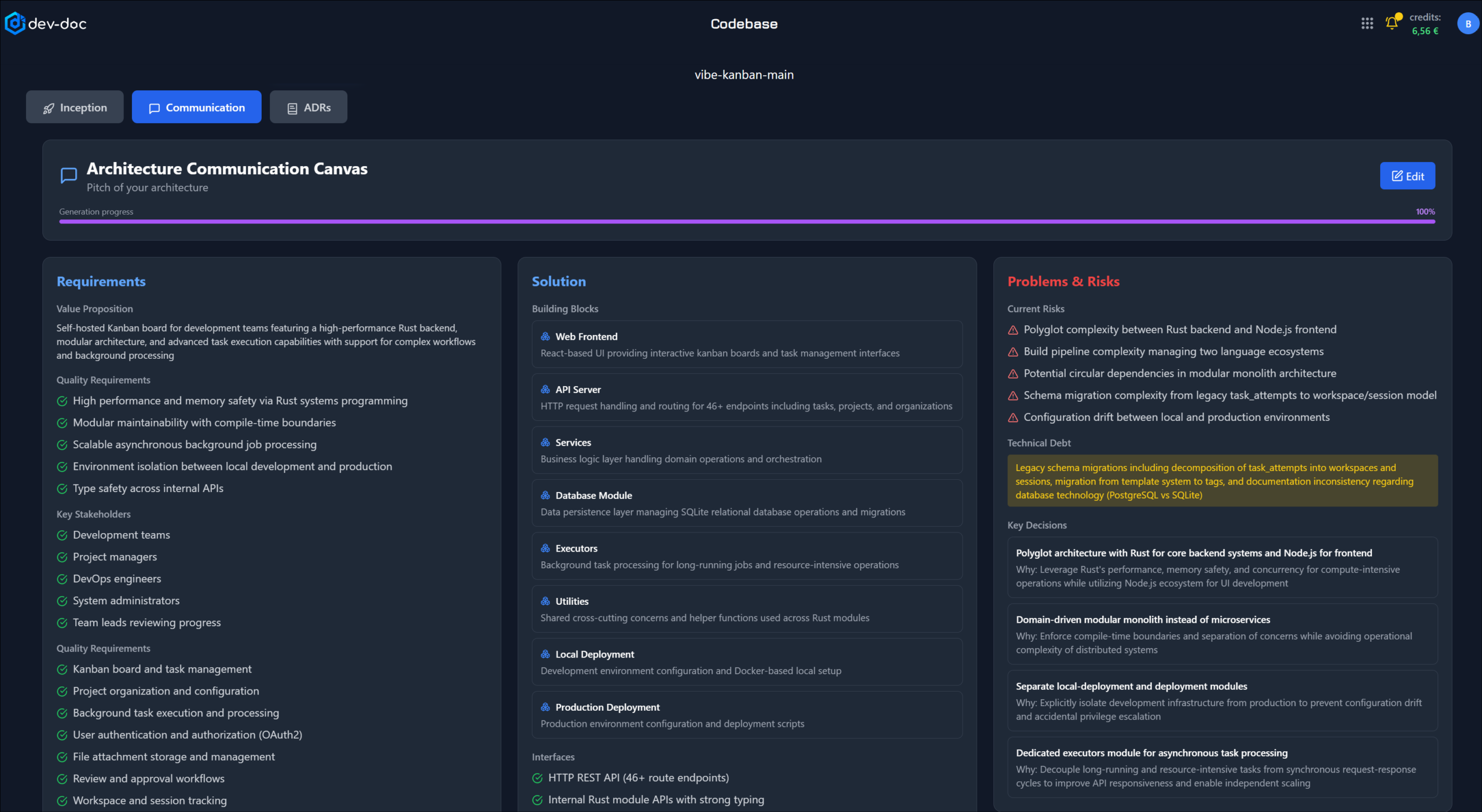 Governance – communication canvas
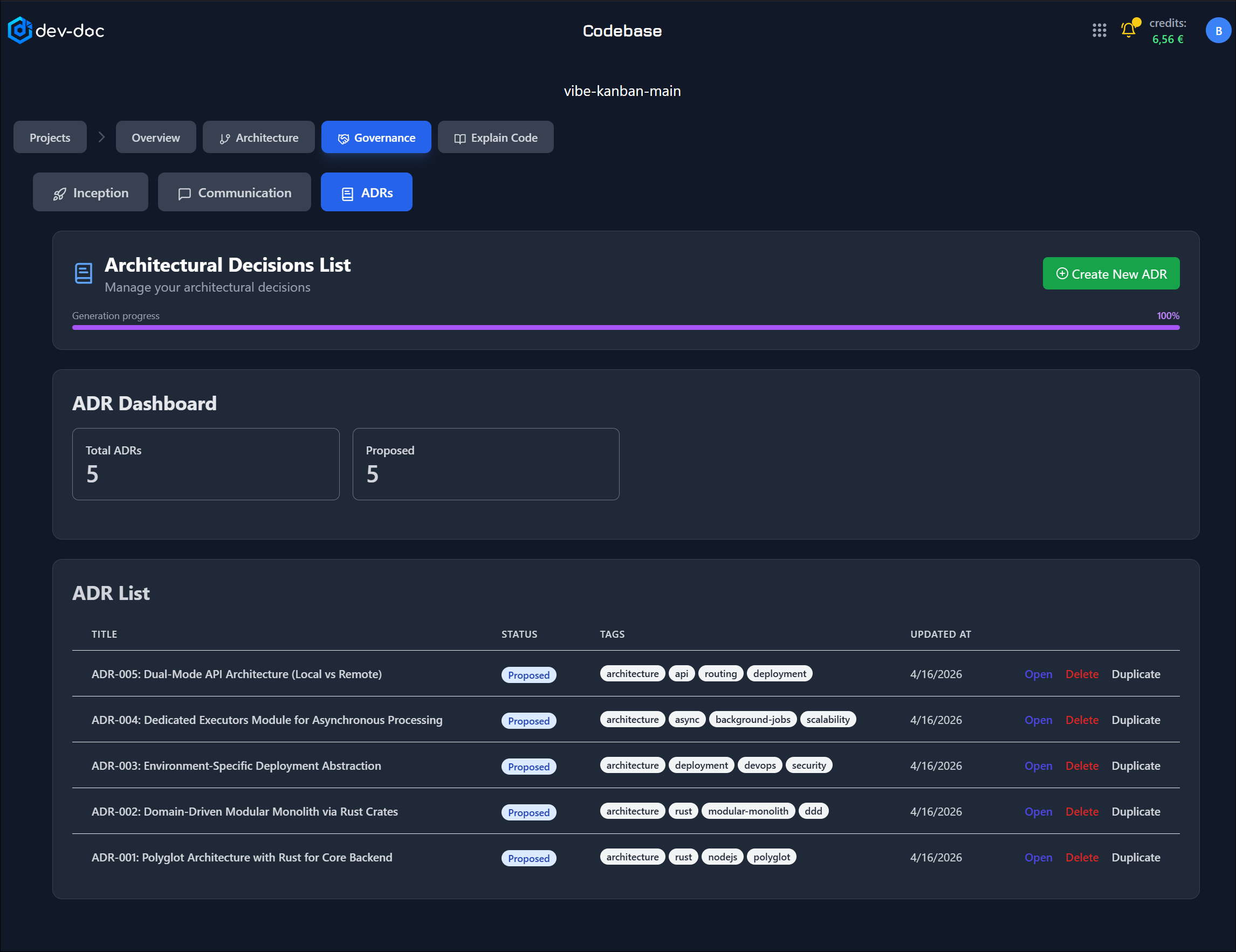 Governance – ADRs
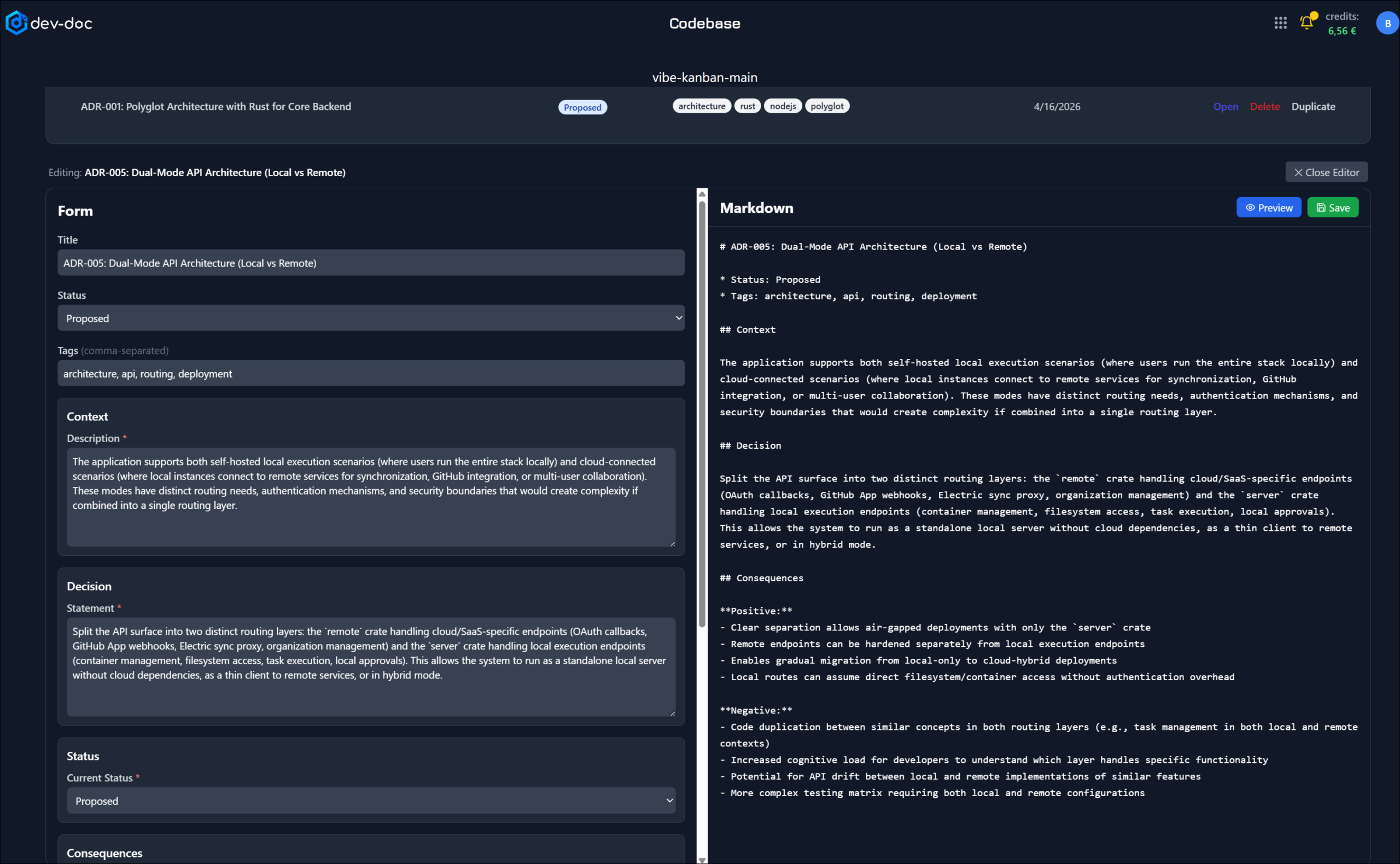 Governance – ADR details
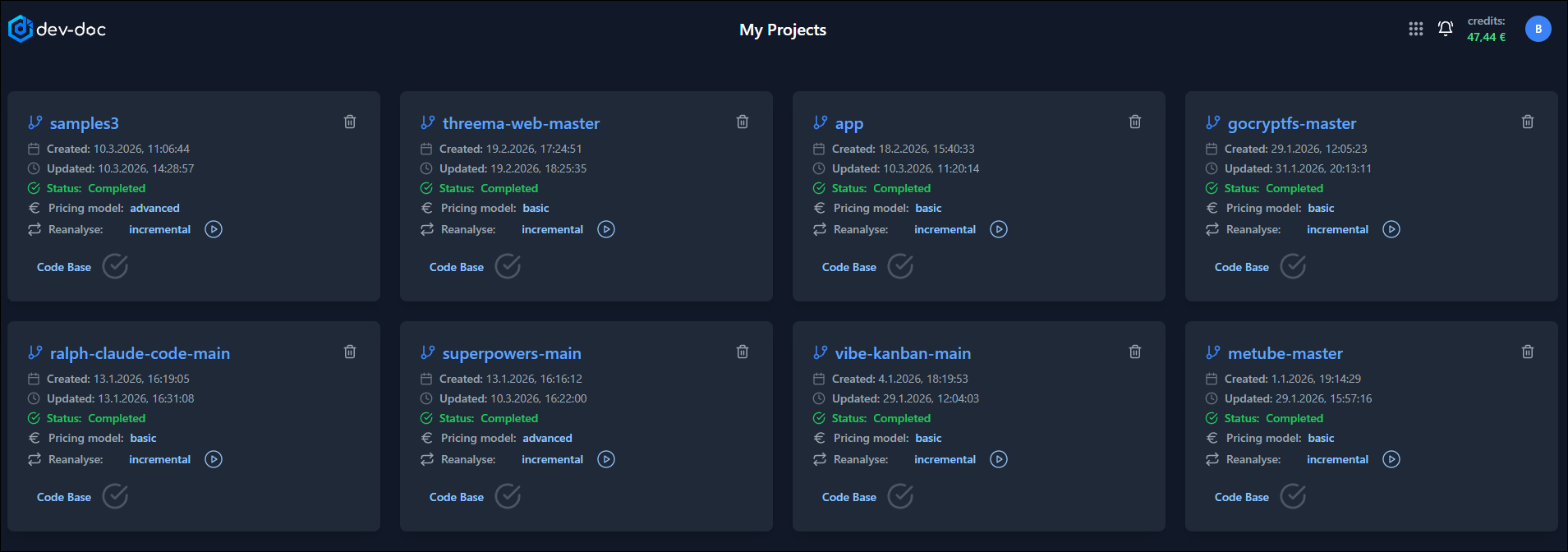 My projects
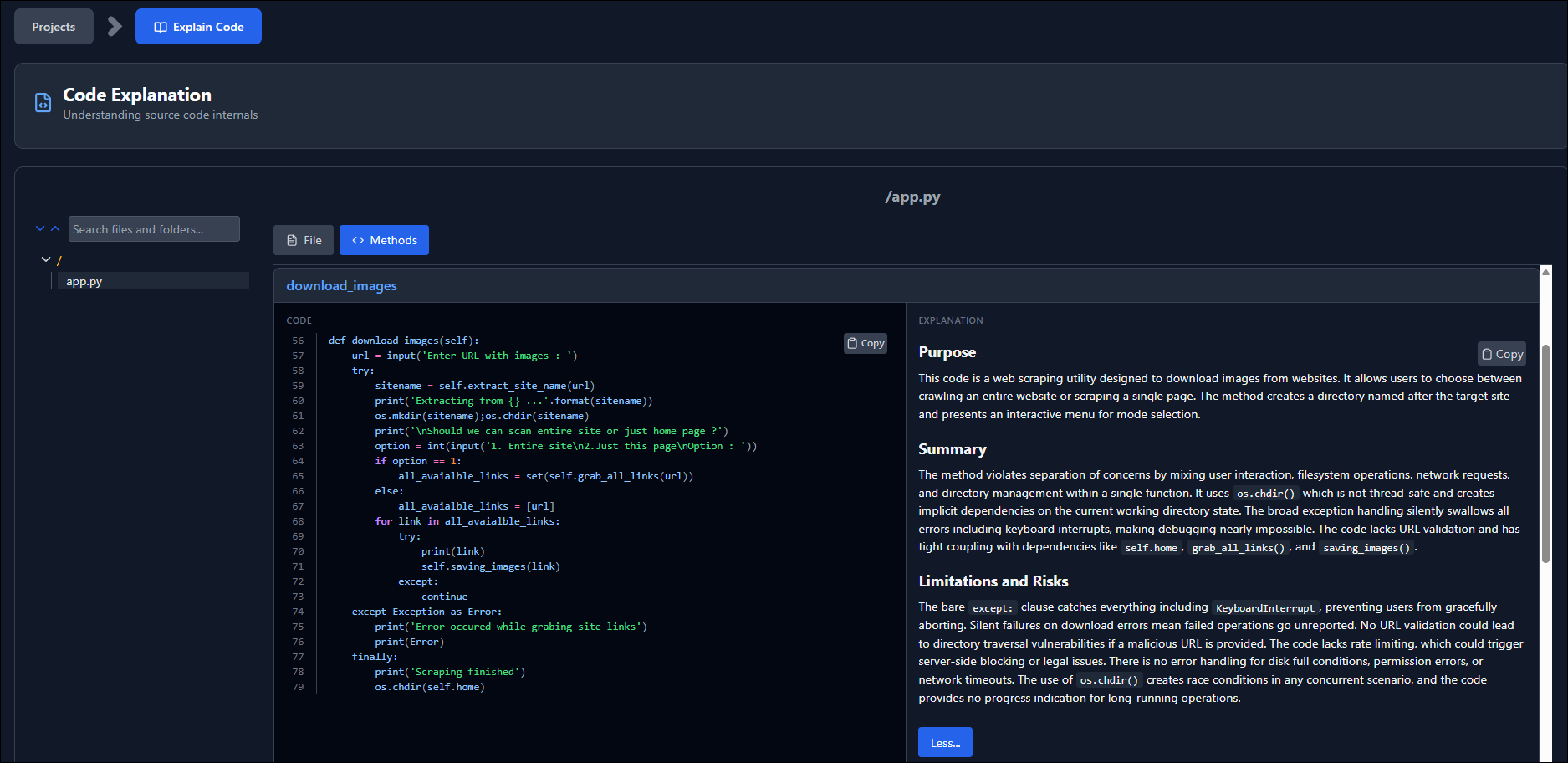 Method-by-method documentation
 Code explanation
Ready to document your project?
Sign in with GitHub, Google or email and import a repository in minutes. 40 free credits included.